
Multi-Preset Manager
Duplicate model presets and copy chosen settings, such as models, context size and provider parameters, from one preset to many, with a preview of the effective changes, automatic backups and one-click undo.
Screenshots
README
Multi-Preset Manager
An Agent Zero plugin to manage several model presets at once. It saves time when you keep many presets that are almost the same:
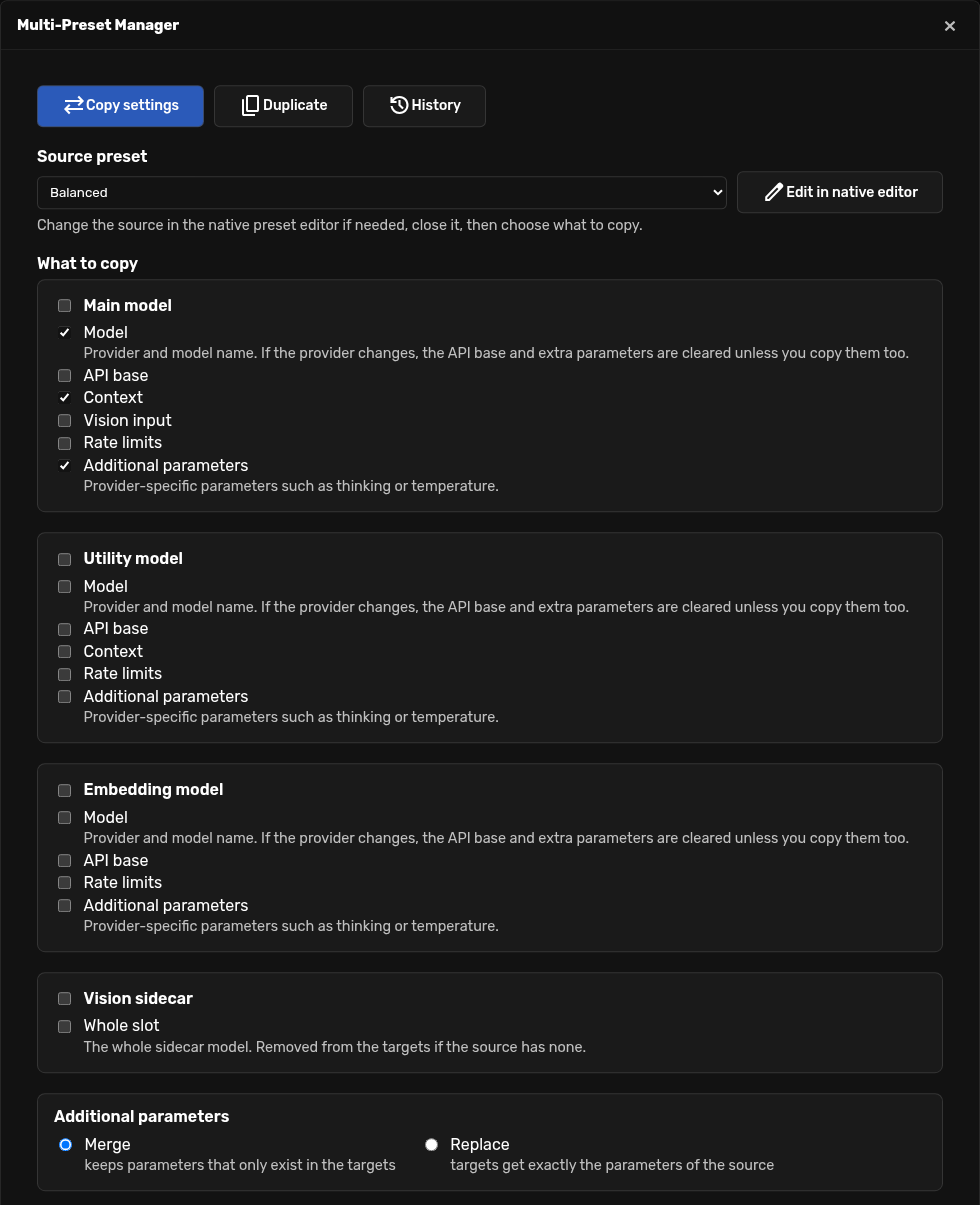
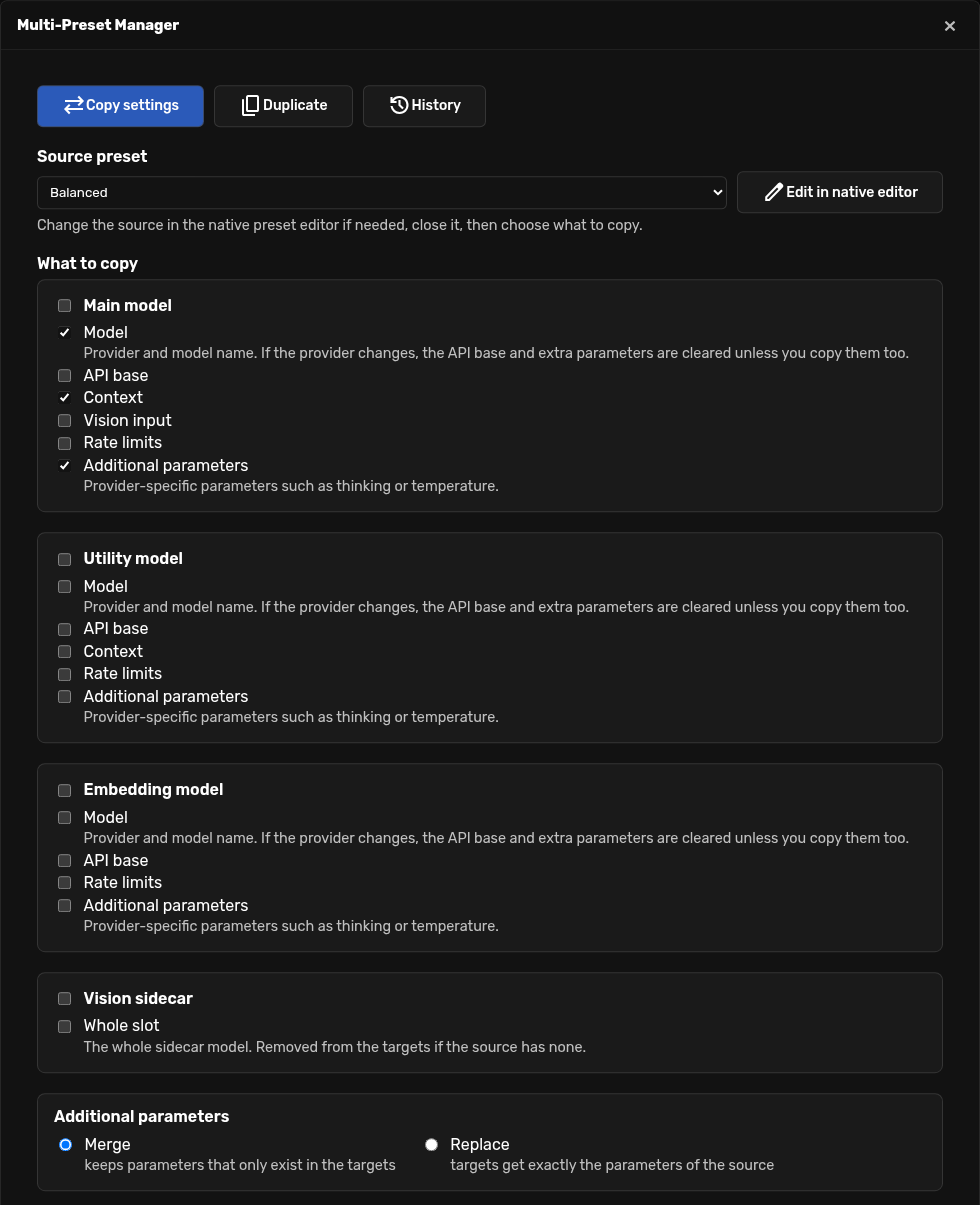
- Copy settings: change a preset (in the native preset editor) and copy the groups of settings you choose, such as the main model, the context size or the extra parameters, to any set of other presets.
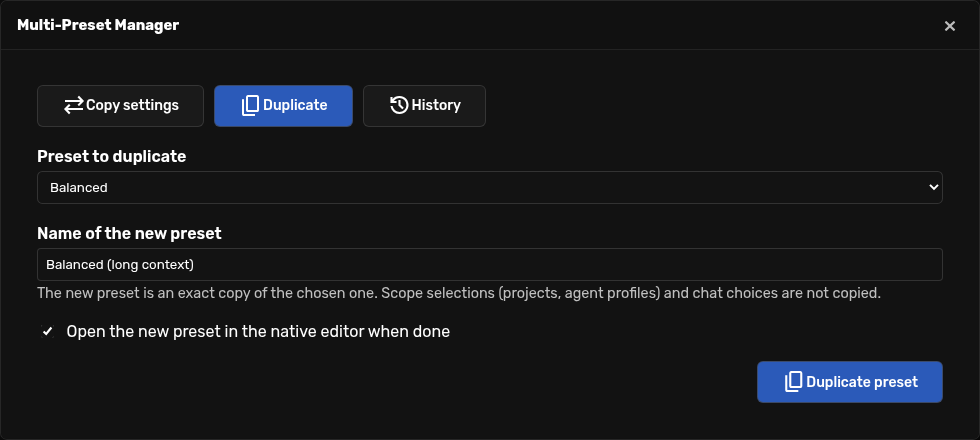
- Duplicate: create a new preset from an existing one under a new name.
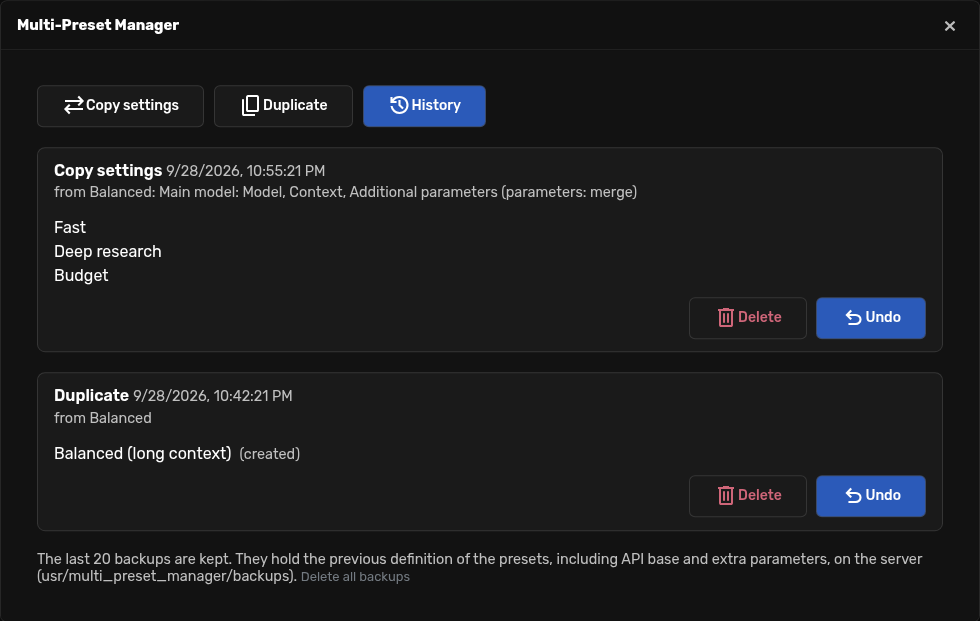
- History: every operation is backed up first, so a mistake is one click to undo.
No external services, no network calls, no extra dependencies. It only reads and writes the presets through Agent Zero's own model configuration code, so it behaves exactly like the native editor.
Install
In Agent Zero open Plugins → Install, choose Git and use:
https://github.com/spcdatapro/multi-preset-manager
Then open it from the sidebar quick-actions menu (Multi-Preset Manager) or from Plugins → Multi-Preset Manager → Open.
Tested with Agent Zero v2.13.
Usage
Copy settings
Pick the source preset. Use Edit in native editor if you need to change it first, then close the editor.
Tick what to copy. Each model (Main, Utility, Embedding) has its own groups:
Group Fields Model provider and model name API base api_baseContext context length and history/input ratio Vision input Main model only: vision support and maximum embeds Rate limits request, input and output limits Additional parameters provider-specific parameters ( kwargs), such asthinkingortemperatureThe Vision sidecar is copied as a whole slot (or removed from the targets if the source has none). For additional parameters choose Merge (keys of the source are added or overwritten, keys that only exist in the target are kept) or Replace (the target gets exactly the parameters of the source).
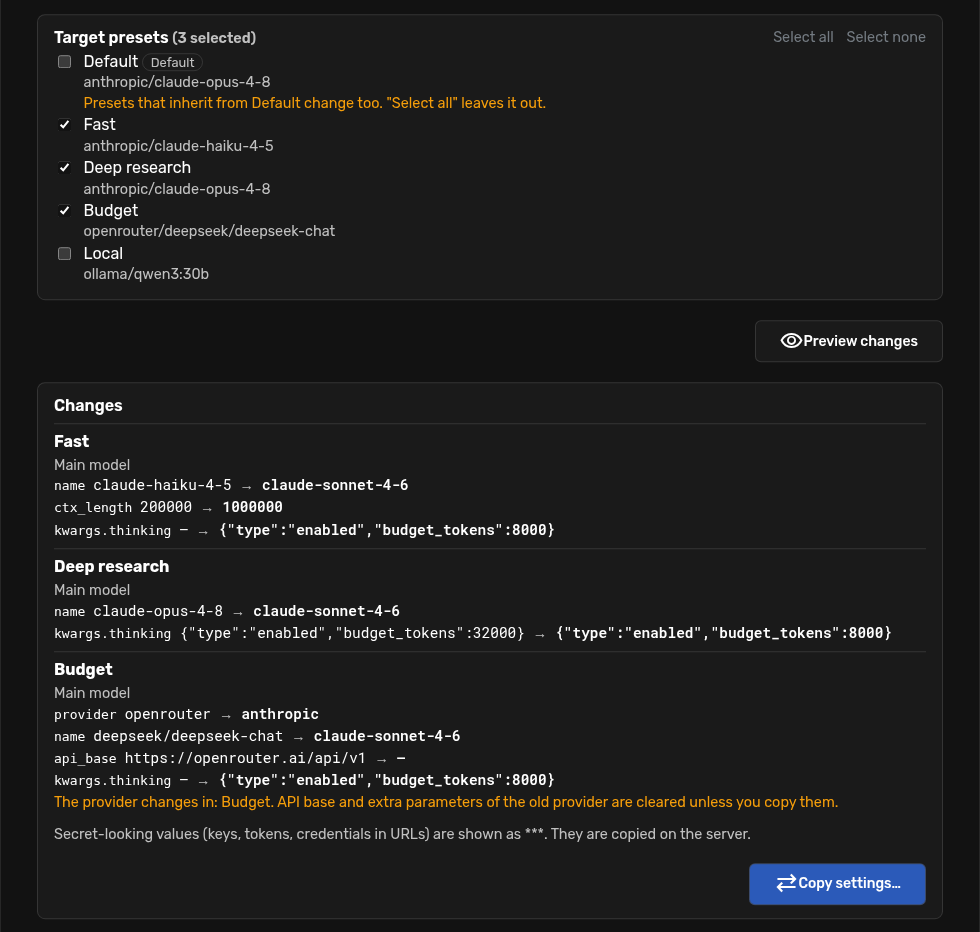
Tick the target presets and press Preview changes. The preview lists the effective differences of every affected preset, including presets that inherit the change from
Default.Press Copy settings… and confirm.
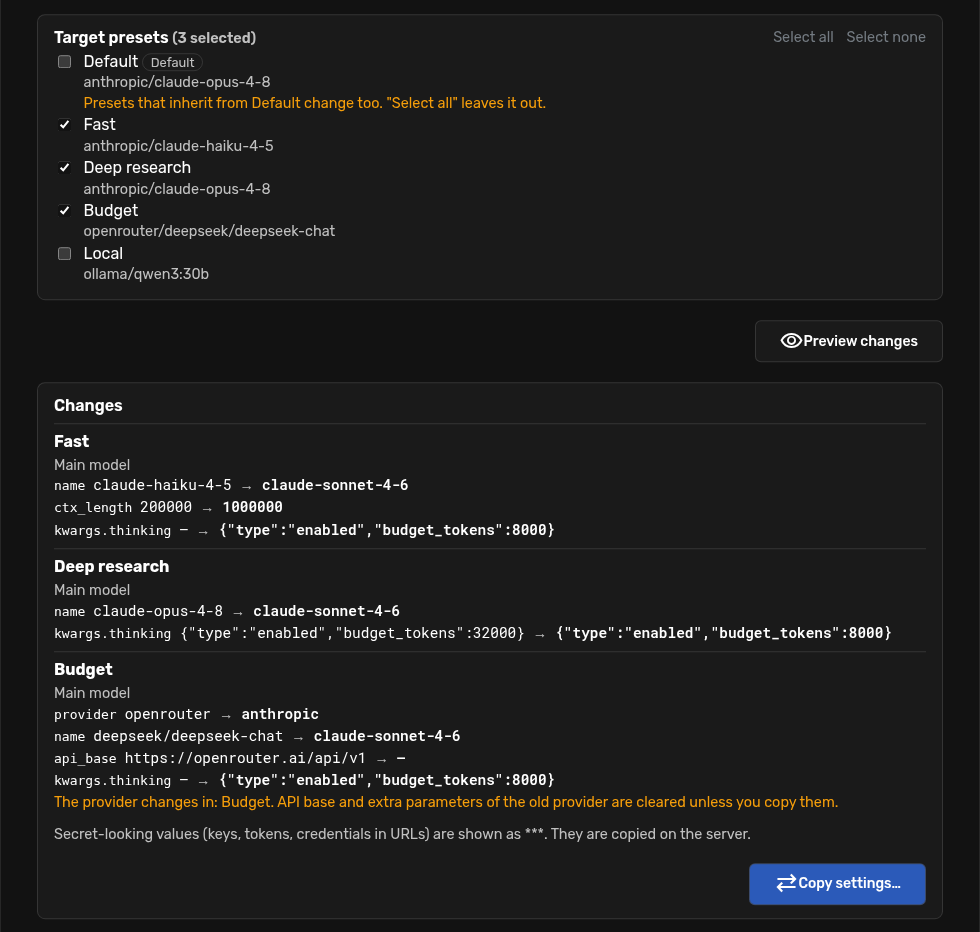
Things to know:
- A group is copied as stored: if the source does not set a field (it inherits it from
Default), the field is removed from the target so it inherits the same way. The Model group always copies the effective provider and model of the source. - If the provider changes, the API base and the additional parameters belong to the old provider and are cleared, unless you copy those groups as well.
Defaultis left out of Select all. Changing it changes every preset that inherits from it.- If an embedding model changes, Agent Zero re-indexes the memory the next time it is used, which can take a while. The preview warns you.
- Close the native preset editor before copying: saving it afterwards would overwrite the copied settings.
- Values that look like secrets (keys named
api_key,token,authorization…, and credentials inside URLs) are masked as***in the preview. The copy itself happens on the server.
Duplicate
Pick the preset, type the new name and press Duplicate preset. The copy is exact and is placed right after the original. Names must be unique (case-insensitive) and the plugin never renames silently. Project, agent and chat selections are not copied.
History (backups and undo)
Before anything is written, the previous definition of every preset that changes is saved. History → Undo restores it (or removes the presets that were created). If a preset was edited after the operation, Undo tells you and lets you keep those later edits or restore anyway. The last 20 operations are kept.
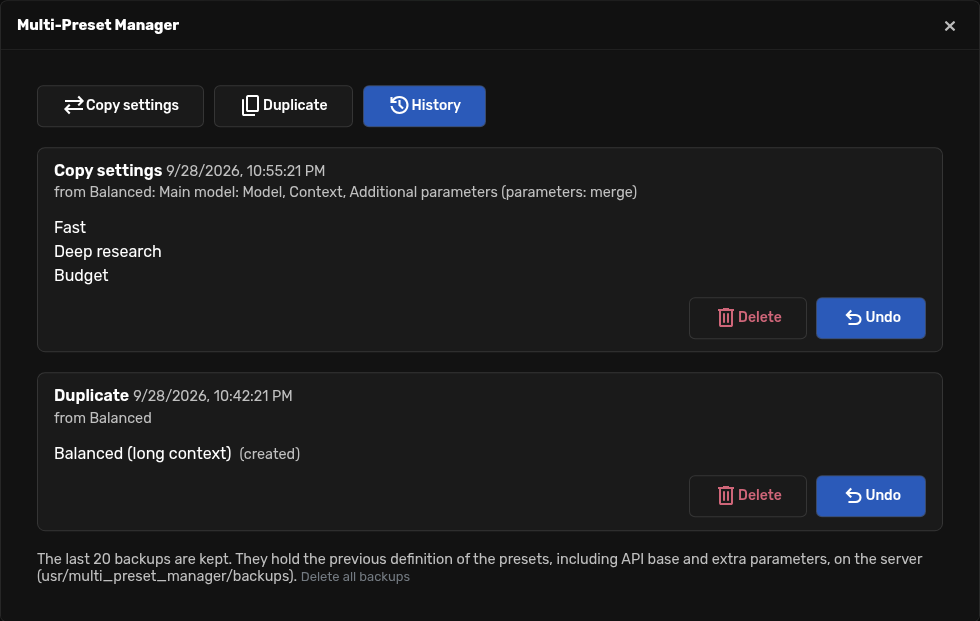
Backups contain the previous definitions of the presets, including api_base and additional parameters,
in usr/multi_preset_manager/backups/ on the Agent Zero server (owner-only permissions). Delete them from
the History tab whenever you want.
Uninstall
Delete the plugin from the Plugins dialog. Uninstalling also deletes its backups, so nothing sensitive is
left behind. Your presets are never touched. If you delete the folder by hand instead, remove
usr/multi_preset_manager/ yourself.
Development
The plugin lives in usr/plugins/multi_preset_manager/. Tests use pytest and run with the framework's
Python from the Agent Zero root, on a throwaway copy of the model configuration:
python -m pytest usr/plugins/multi_preset_manager/tests -q
License
MIT, see LICENSE.