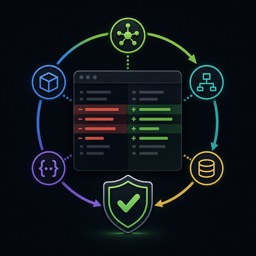
Semantic Review Loop
Adds local semantic code review with an Agent Zero-native interface, automatically connected MCP tools, live entity-level changes, visible review findings, bounded repair, and useful project-scoped lessons.
README
Semantic Review Loop
Semantic Review Loop adds entity-level code review to Agent Zero with
Ataraxy Labs sem. It presents
structural and cosmetic changes in the Semantic Review surface and automatically
connects sem_diff, sem_context, and sem_impact through project MCP.
Safety defaults
- Local-only semantic analysis with telemetry, update checks, cloud access, and unmanaged sidecars disabled
- Automatic, project-scoped MCP activation with verified tools and ownership-safe configuration
- Bounded self-review; Automatic Repair is off by default and stops after the configured maximum repair cycles
- Lessons remain inactive until approved from a review card and stay scoped to the project that produced them
- No staging, commits, reverts, pushes, global package managers, shell-profile edits, Git configuration changes, or system services
Installing the pinned executable is the one supported network operation: the plugin install and update hooks download an exact official GitHub release asset over HTTPS. Review, repair, and lesson workflows do not send source code or review data to sem cloud services.
Install or repair sem
Install the plugin below Agent Zero's usr/plugins/sem_review_loop directory.
Its install/update hooks download the pinned official sem
v0.21.0 asset for supported macOS, Linux, or Windows systems, verifies its
SHA-256 digest, validates the exact CLI identity and version, and installs it
below the plugin's ignored .data/ directory. Both the archive and extracted
executable have independently pinned SHA-256 digests. Running an install or
update hook again verifies cached bytes before execution, reuses a valid
installation, or repairs it atomically. It does not use a global package
manager.
A custom executable may be selected in project settings, but it must be an
existing regular executable that reports exactly sem 0.21.0. The plugin
never discovers or trusts an arbitrary sem from PATH.
On an unsupported platform, plugin installation succeeds without a managed binary. Configure an absolute custom executable; the first semantic review validates its identity and version.
Use it
- Enable the plugin for a project from the Agent Zero plugin Switch.
- Open the Semantic Review right-canvas surface.
- Semantic tools connect automatically. Expand the connection details only if a tool needs attention.
- Edit code normally. The default working-tree view includes all tracked and untracked files created by tools in the watched project. Files above 2 MiB are excluded from semantic source analysis so generated artifacts cannot block the remaining review. The aggregate local payload has a configurable safety ceiling (256 MiB by default, adjustable from 16 MiB to 1 GiB). The Changes tab refreshes from mutation events with a small local heartbeat fallback.
- Agent Zero requests the current fingerprint with
sem_review_checkpointactionstatus, reviews structural changes, then recordspass,repaired, orunresolvedbefore completing the task. - Approve only useful lesson cards in the Lessons tab.
Lessons are project-scoped advisory metadata: after approval, matching future reviews include the problem and resolution as untrusted context for Agent Zero's bounded self-review. They do not edit files, execute commands, become global memory, or bypass the exact-fingerprint checkpoint requirement.
Automatic Repair uses ordinary Agent Zero edits. It never stages, commits, reverts, or pushes, and it cannot exceed the configured project repair bound.
Remove it
Uninstall the plugin to remove its managed MCP connections. Uninstall removes only exact plugin-managed MCP entries and plugin-owned binaries, caches, pending proposals, receipts, and approved lessons. A drifted MCP entry is preserved and reported for manual review. This reversible cleanup does not remove project source, Git state, global tools, or services.
Supported systems
- macOS arm64 and x86_64
- Linux arm64 and x86_64
- Windows x86_64
Other systems require a custom sem v0.21.0 executable. The bundled installer does not support Windows arm64 or other architectures.
Limitations
- Semantic Git comparisons require a Git worktree. Manual file review can degrade gracefully in a non-Git project, but commit and branch comparisons are unavailable there.
- Version 1 supports only sem v0.21.0.
- MCP stays enabled while the plugin is installed; there is no separate off switch.
- Automatic Repair is opt-in and bounded; unresolved findings remain visible for a person to decide.
- Approved lessons are project-local and are not a global memory collection.
License
MIT. See THIRD_PARTY_NOTICES.md for sem licensing.
Review workflow
The panel uses Agent Zero's theme colors, typography, controls and compact tabs. Filter changes by file or function, focus on structural changes, compare a commit or range, and select an entity to inspect its code, related context and impact. The Review tab shows checkpoint findings and identifies older reviews. Errors remain visible rather than appearing as an empty change list.
Install and update hooks connect existing projects. Opening the panel or starting an agent turn connects new projects and checks existing connections. Missing plugin-owned entries are restored. User-edited entries and name conflicts are preserved and reported; connection details offer a retry after resolving the conflict. Tool verification must succeed before showing connected.
With automatic refresh enabled, the open panel checks for external file edits as well as editor/tool events. Unchanged fingerprints reuse the previous result; a heartbeat does not cancel an in-flight mutation refresh.
Lessons are optional and specific: the checkpoint tool accepts a lesson with
problem and resolution after a successful review. Routine passes do not
create generic lessons. Approval binds to the current working snapshot even
when a historical comparison is on screen. Approved lessons remain advisory
and project-local.
Git repository setup
Semantic Review compares changes against Git history. The Agent Zero project directory must be inside the intended Git checkout, with an initial commit. A repository cloned into a child folder does not make its parent a repository. For container deployments, the checkout and its Git metadata must be available inside the container; linked worktrees also need their referenced Git metadata.
If the project has no repository or initial commit, version 1.2.1 reports that review is unavailable and allows the agent to finish without an acknowledgement retry or a successful-review checkpoint. Review resumes after the Git baseline is available. The plugin does not initialize repositories or create commits. Do not enable GIT_DISCOVERY_ACROSS_FILESYSTEM to work around a missing checkout.